Activity 6: Normalizing Denormalized Data Using Excel
J
Sucess
Steps for the Activity
Open Excel and create a new workbook.
Rename each sheet to correspond with the following datasets:
employeeData
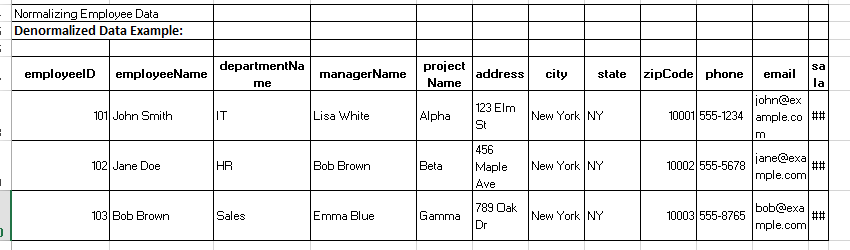
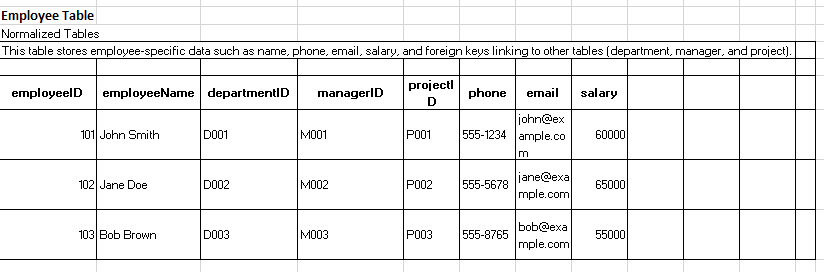
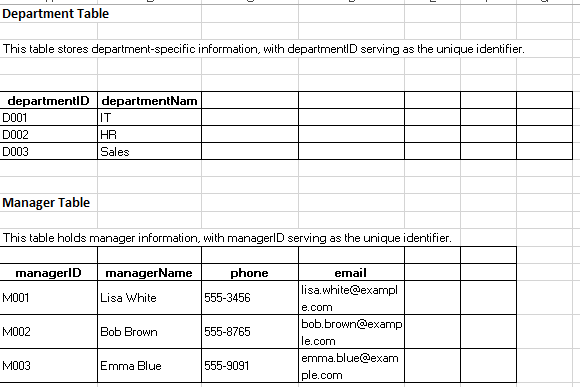
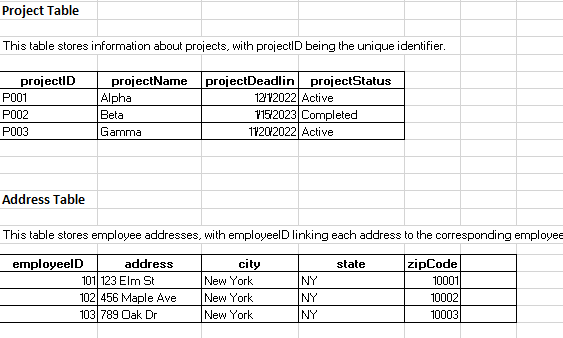
studentData
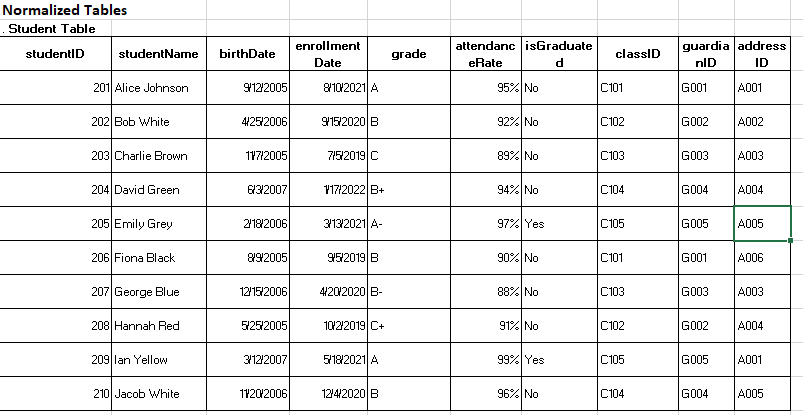
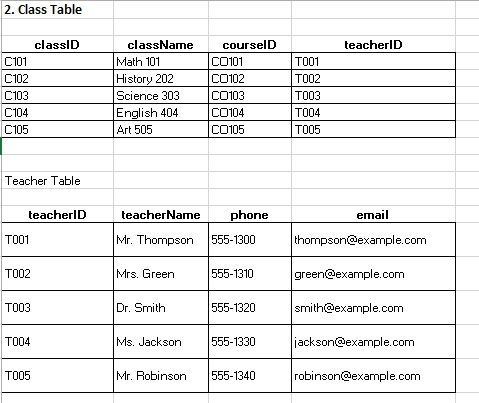
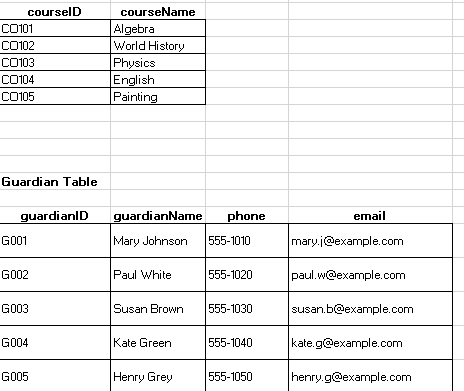
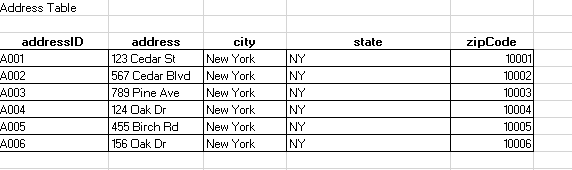
productData
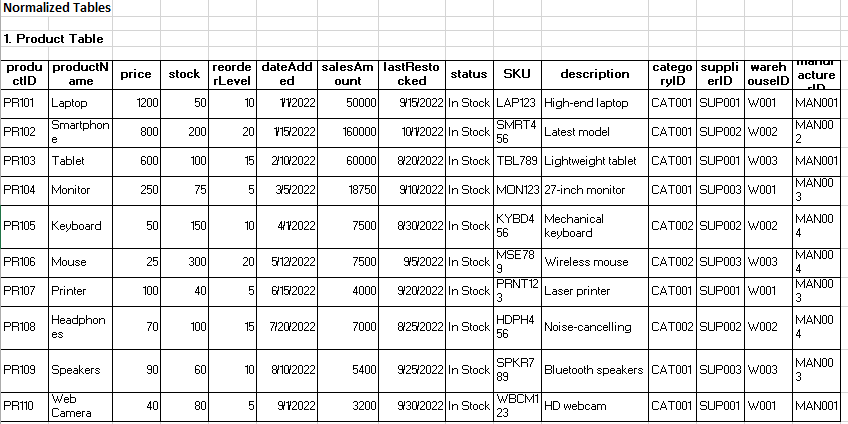
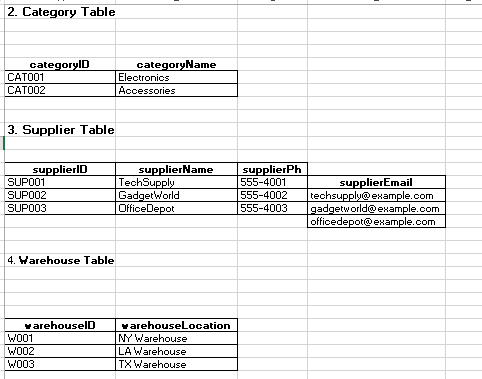
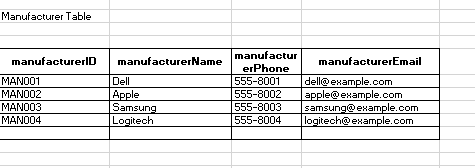
orderData
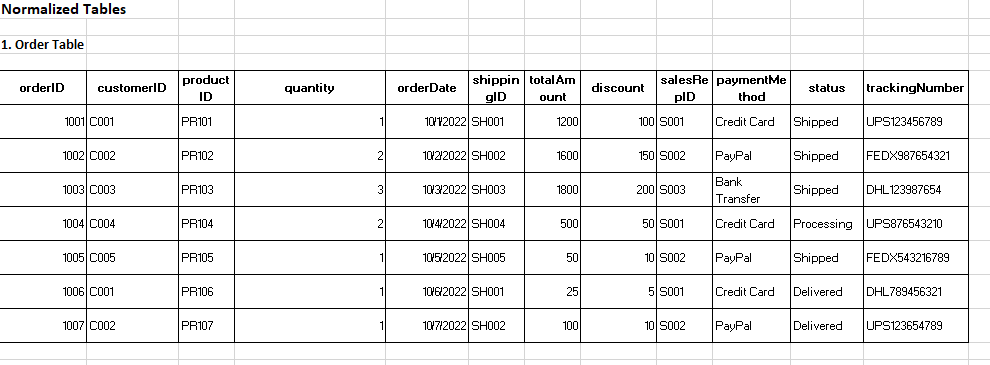
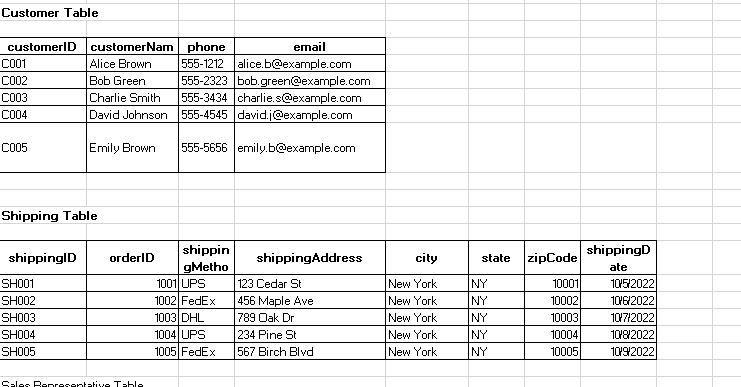
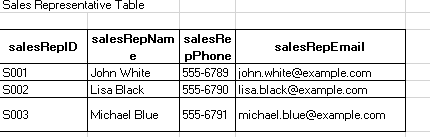
salesData
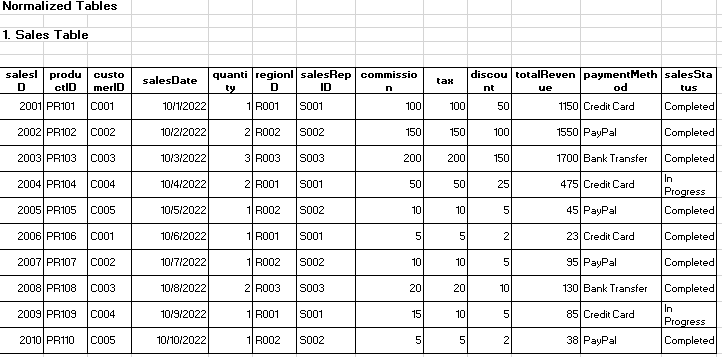
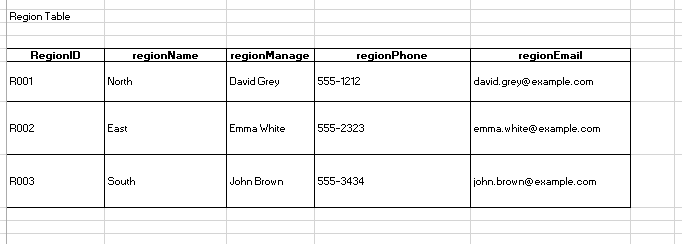
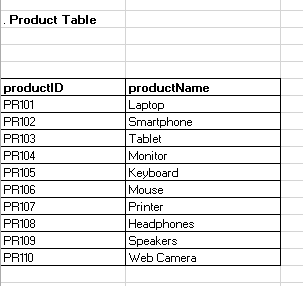
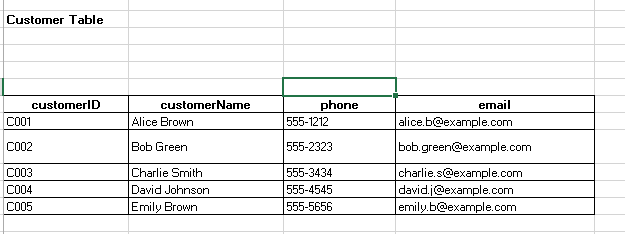
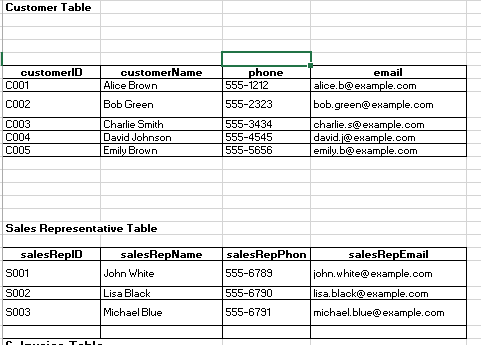
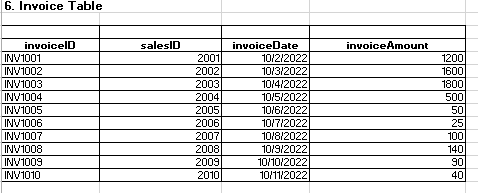
Search for a command to run...
Sucess
Open Excel and create a new workbook.
Rename each sheet to correspond with the following datasets:
studentData
productData
orderData
salesData
No comments yet. Be the first to comment.
Fork the Repository thirdygayares/keriderya-api Clone Your Repository python -m venv venv #Create a Virtual Environment venv\Sc pip install -r requirements.txt git clone https://github.com/JoshuaNato/keriderya-api-release-test-v1.0.1.git FLASK_...
Deployment on PythonAnywhere 1 Forked this https://github.com/thirdygayares/keriderya-api2. Set up a Python Anywhere account list your credentials on Excel3. Add new Bash Consoles in the Console tab4. Clone the repositories in the server use your ...
Use your activity #7 for this Convert Your Low-Fidelity Prototype to High-Fidelity Start by improving your low-fidelity personal portfolio design. Make it look detailed and polished with proper fonts, colors, and layout. Angular Make sure to creat...
This activity will help you learn how to use Postman and test APIs. You will practice creating collections, adding requests, and testing API responses. It will also teach you how to debug and check API results. By doing this, you will understand how ...
Step 1: Set Up the Environment Install Python Make sure you have Python installed or Any application like Vs code, Pycharm Etc. Step 2: Install SQLAlchemy Install SQLAlchemy using pip in your terminal. pip install sqlalchemy Step 3: Create the Datab...
Joshua Nato's team blog
56 posts